Getting your map from our site into Google Earth takes about two minutes.
- Download the zipUse the Download button on your thank-you page, in your email or in My Maps. Downloads are open for 30 days after you buy, so do this first.
- Unzip itOn Windows, right-click the zip and choose Extract All. On a Mac, double-click it.
- Save the files somewhere safePut the map files and the Read Me First guide in a folder you’ll find again. A copy on a USB stick or in cloud storage makes a good backup.
- Open them in Google EarthGo to earth.google.com/web, click New, then Import file to map project, then Upload from device, and pick a file. The full steps, and the steps for phones, are on the Viewing tips page.
Trouble unzipping? Write to us and we’ll send you the map files already unzipped.
Need Google Earth?
It’s free. On a computer, Google Earth on the web runs in your web browser with nothing to install. On iPhone and Android, use the free Google Earth app.
Try a free gold map first
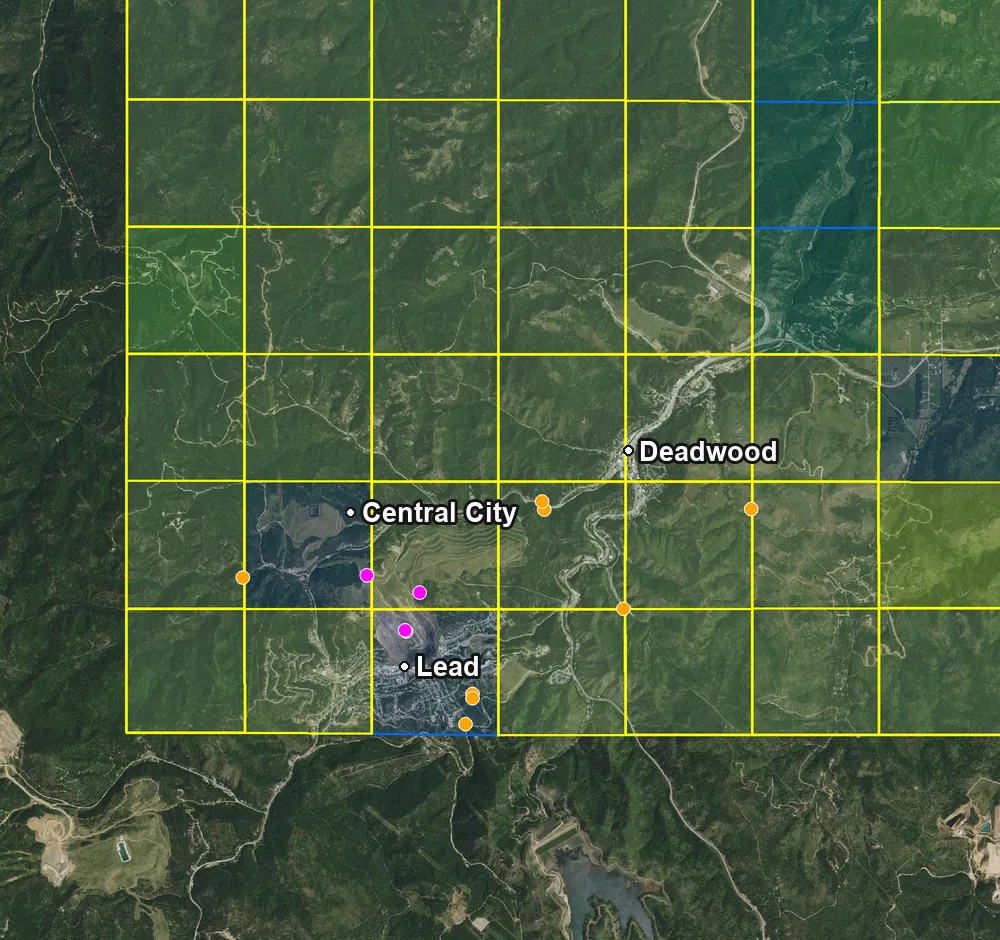
A free map of the Lead–Deadwood gold district from our 2026 South Dakota data, with all five layers. Open it in Google Earth and try the layers before you buy a state. It covers the Lead–Deadwood area only; the full South Dakota map covers the whole state.
Check your email. We sent the download link to .
It should arrive within a minute. Not there? Check your spam or promotions folder.
Sent again.
We'll email you the download link.